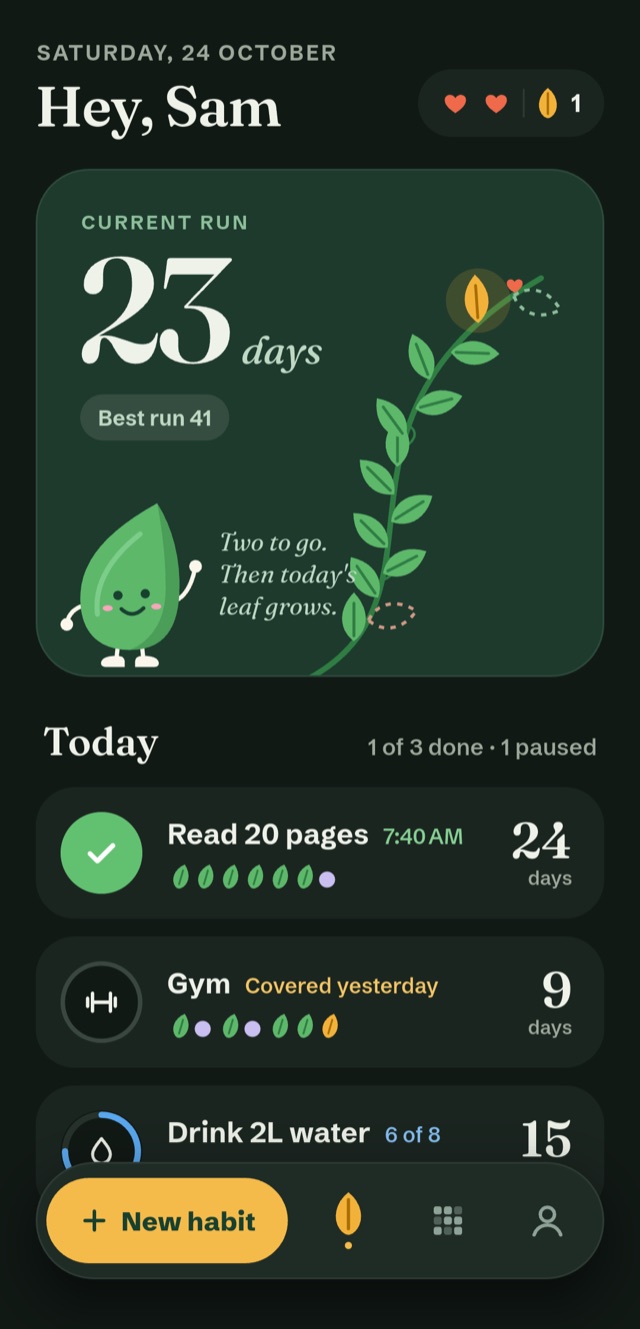
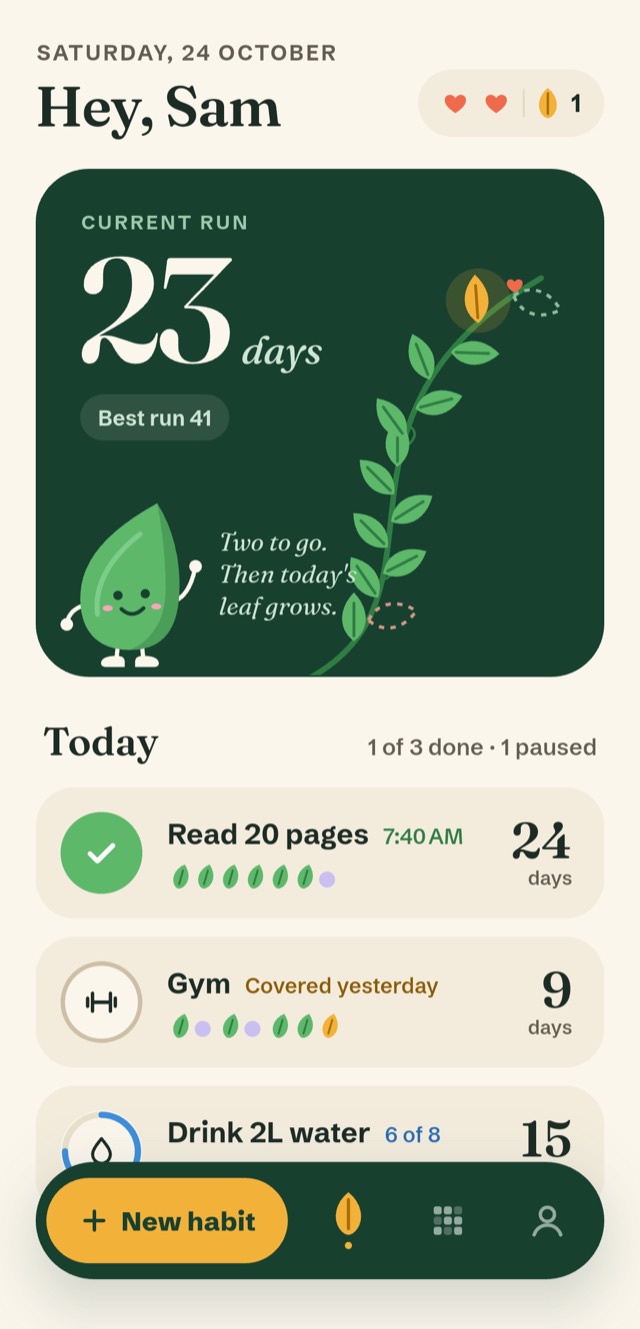
How GraceDay forgives
Four safety nets, so a rough day stays a rough day.
You never have to remember to use them. They work on their own, and every one is visible in the app so you always know where you stand.
-
Free: 1 a month
Grace days
Miss a day and a grace day covers it, automatically. Your streak carries on and the day shows as a gold leaf. It works like a streak freeze, except it is built in and you never buy it.
-
Always on
Two hearts
Out of grace days? A miss costs a heart instead. Show up the next day and you win the heart back.
-
Free
Rest days
Choose the days a habit is not expected, like weekends. They never count against you, and they never break a run.
-
Pro
Pause
Sick, travelling, or deep in exams? Pause a habit and it waits right where you left it, with its history intact.
Honest by design: two misses in a row still end a run, so a streak always means something.
Progress
See your whole year grow.
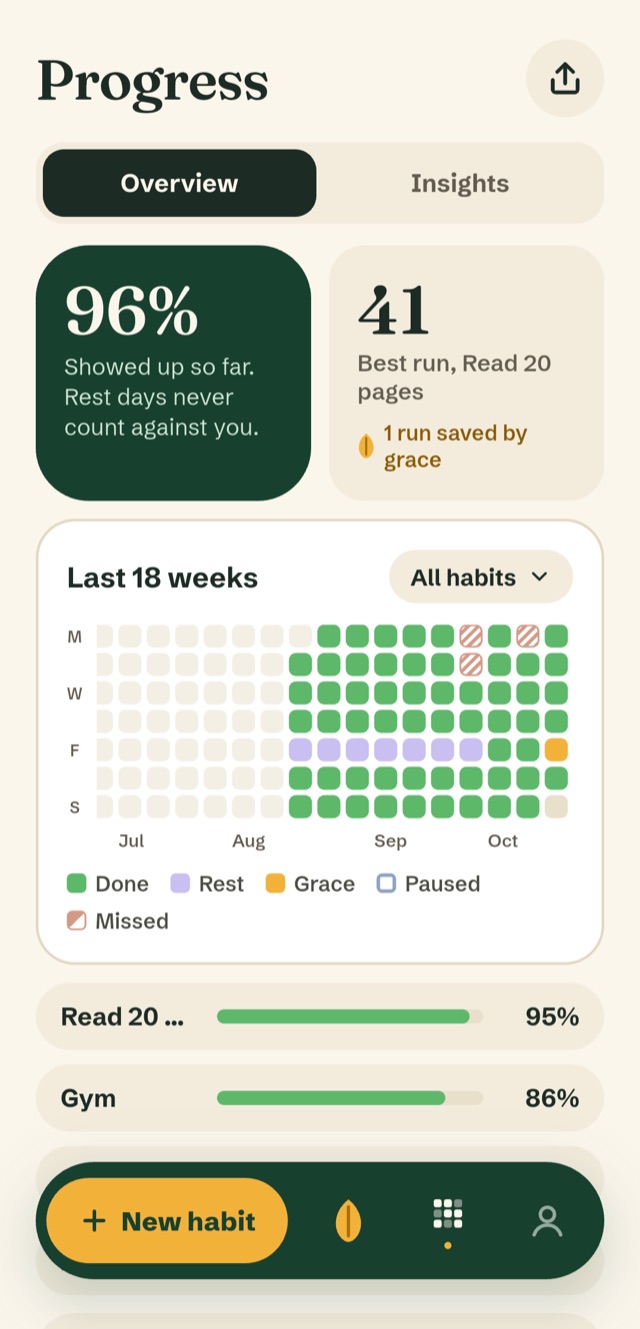
Every day is a square. Rest days, grace days and paused days each get their own color, so a slow week never looks like failure.
- An 18-week heatmap for one habit or all of them
- Your best run, and how many were saved by grace
- Completion that skips your rest days, so the percentage is fair
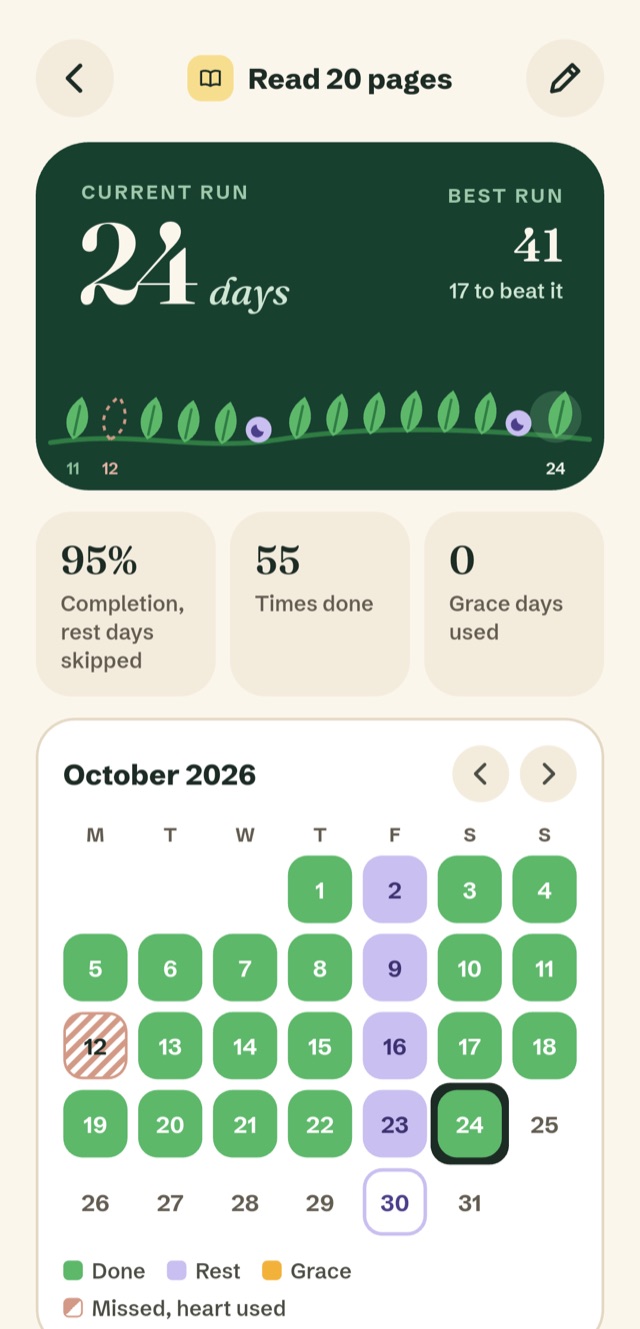
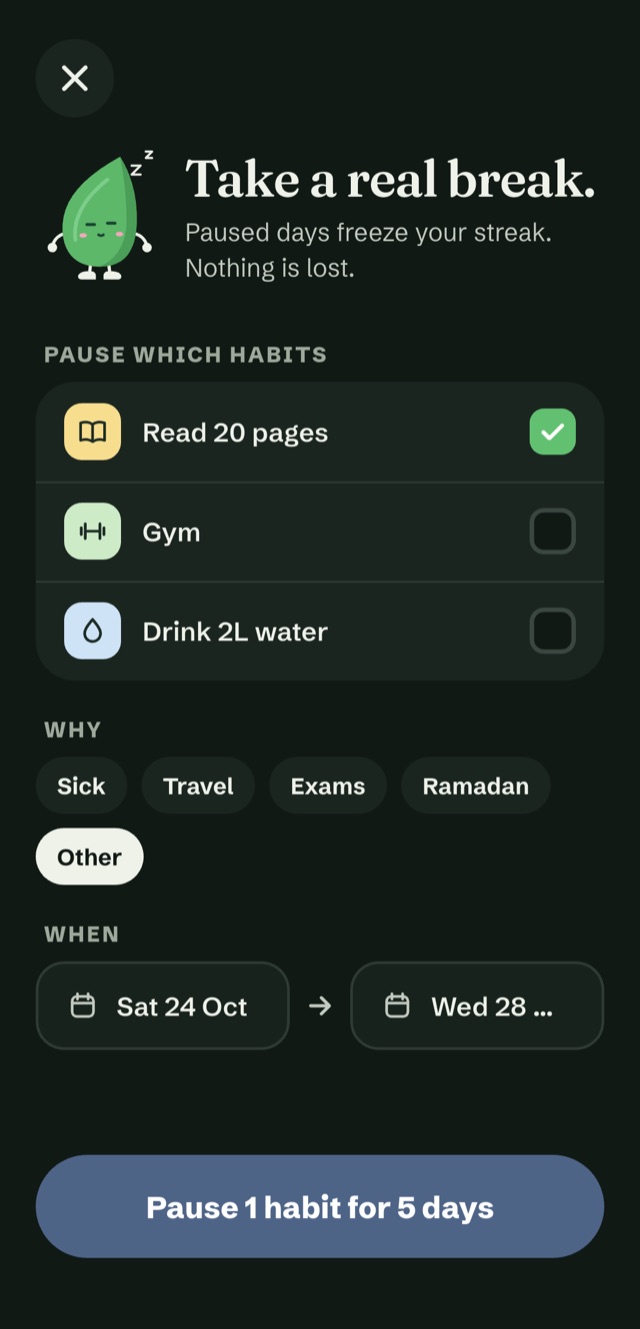
Pause
Sick? Travelling? Pause, don't break.
Pick the habits, say why, set the dates. While a habit is paused its streak freezes, nothing is lost, and it picks up on the day you come back.
- Pause one habit or several
- Up to 30 days at a time
- Reminders go quiet until you return
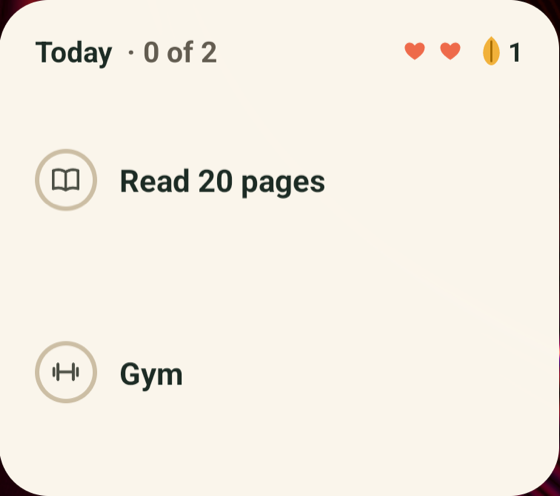
Today, in one tap
Check off from your home screen.
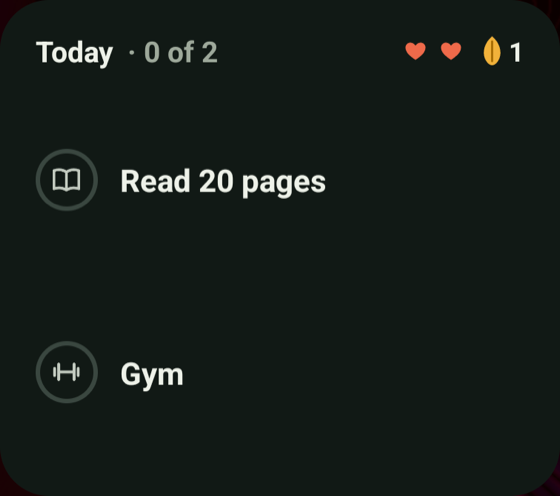
The widget shows today's habits, your hearts and your grace days. Tap a habit to check it off without opening the app.
- Light and dark, matching your phone
- Reminders that fit your day, plus a gentle Monday review of your week
- Daily habits, weekly targets, and counted ones like glasses of water
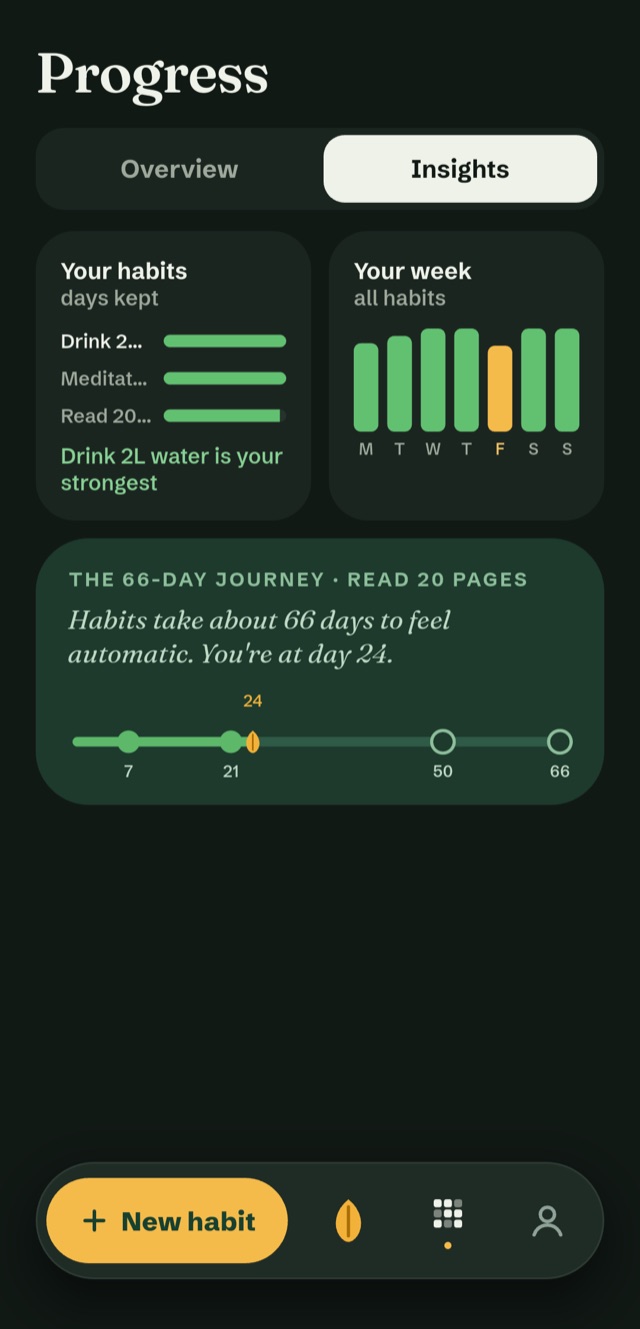
Insights and sharing
Know your habits. Share the streak, not the details.
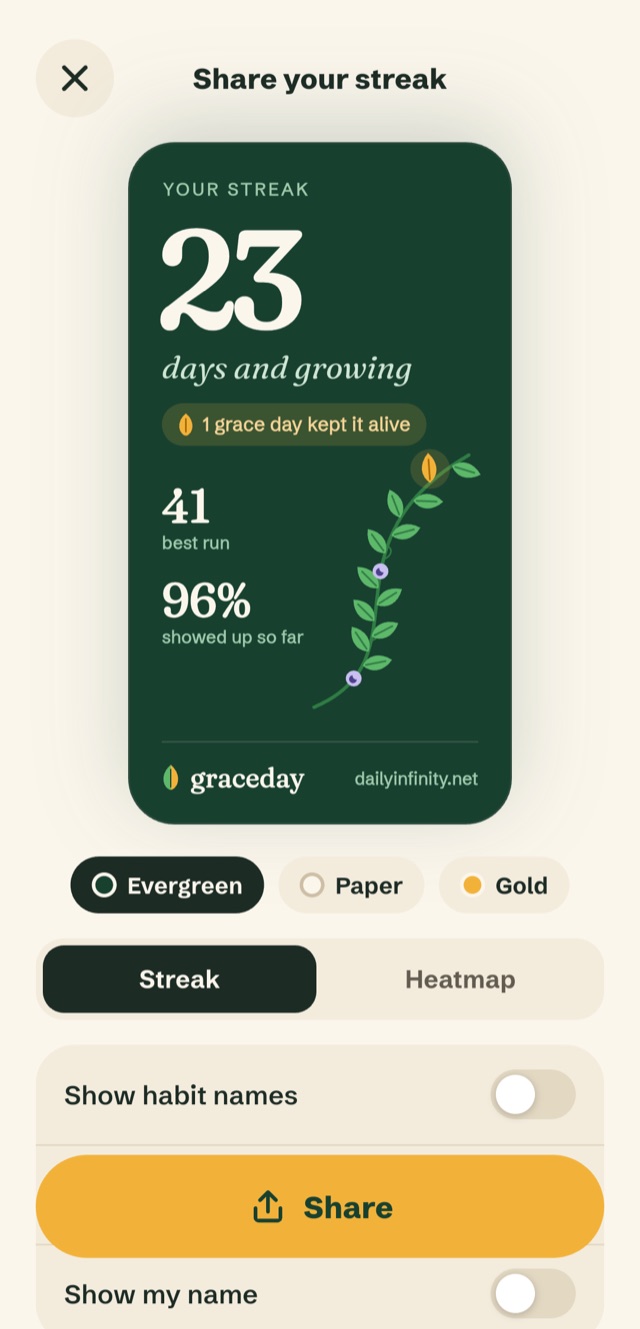
Insights show your strongest habit, your best days of the week, and where you are on the 66-day road to a habit that feels automatic. When you want to show a friend, share a progress card.
- Habit names are off by default on every card
- Pick evergreen, paper or gold
- Share the streak, or the whole heatmap
Free and Pro
Free is a real habit tracker. Pro is for people who want more.
No ads, ever. No account to start. If Pro ends, nothing you earned is deleted: your streaks and history stay, and you choose which 3 habits to keep active.
Free
Everything you need to start a streak.
- Up to 3 habits
- One grace day each month, and two hearts
- Rest days, reminders and the home-screen widget
- Progress view with the last 30 days of history
- Share cards, light and dark mode
GraceDay Pro
For every habit, a longer memory and more grace.
- Unlimited habits
- One grace day every week, and you can hold two
- Your full history and the full heatmap
- Pause mode, up to 30 days
- Insights: best days, best time of day, streak growth
- Cloud sync across your phones
Pro is a subscription, yearly or monthly, billed through Google Play in your own currency. The yearly plan starts with a 3-day free trial for new customers. Cancel any time in Google Play.
Private by design
Your habits are yours.
Stays on your phone
No account is needed. Your habits and notes live on your device unless you turn on cloud sync.
Sync only if you want it
Sign in with Google or an email code to use more than one phone. Your copy is encrypted, stored in Tokyo, and one tap deletes it.
Analytics are your call
Anonymous usage stats and crash reports are sent only if you say yes, and never include habit names or notes. Read the privacy policy.
Questions
Good to know before you install.
Does a missed day really not break my streak?
If you have a grace day, it covers the missed day on its own and the streak continues. If you do not, a heart is used. If you miss two days in a row and both safety nets are empty, the run ends. Your best run and your history are always kept.
Is GraceDay free?
Yes. The free version has no ads and no account, and gives you up to 3 habits, a grace day every month, two hearts, rest days, reminders and the widget. GraceDay Pro is an optional subscription for unlimited habits, weekly grace days, full history, pause, insights and cloud sync.
Do I need to make an account?
No. GraceDay works fully without one. An account is only for cloud sync, if you want your habits on more than one phone.
How do I move to a new phone?
Open You → Cloud sync on the old phone and sign in. On the new phone, choose I already use GraceDay and sign in with the same account. Loading your data on a new phone is always free.
Is there an iPhone version?
Not yet. GraceDay is on Android 7.0 and later for now.
How do I delete my data?
Open You → Delete all my data to wipe everything from your phone, or You → Cloud sync → Delete account to remove your account and synced copy. Here is exactly how deletion works.
Who makes GraceDay?
GraceDay is made by DailyInfinity Studios, in Pakistan. Write to us any time at dailyinfinity.support@gmail.com. We read every message.
Start a streak that survives a bad day.
Free to start. No ads. No account.